
01
Find the highlight. Cut the Short. You just hit post.
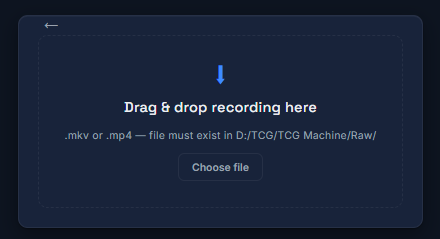
TCG Machine watches your OBS recordings, finds your highlights, and turns them into vertical Shorts with captions, titles, and thumbnails. You review, change what you want, and approve before anything goes out.
Other tools put every button on one screen. TCG Machine is one step at a time. You create. The machine does the manufacturing.
Built for League of Legends. More games coming.
Not released yet. Join the beta to hear when it opens.
 Opens full size in a new tab.
02
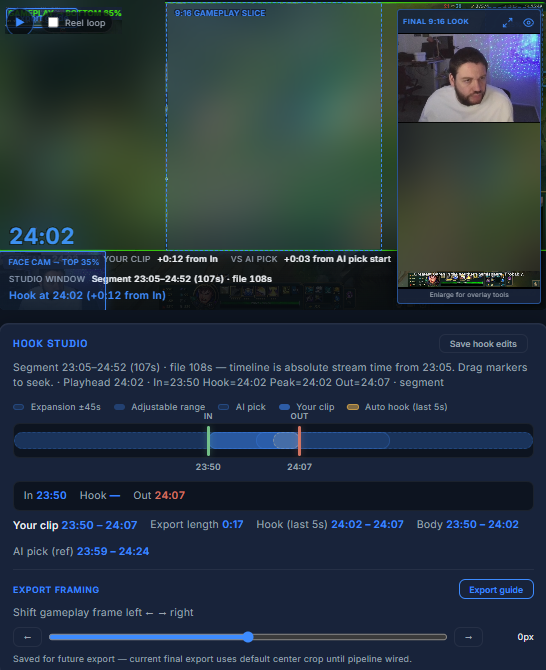
Review, edit, approve.
Set where the clip starts, ends, and where the hook falls. Change what you want, then approve it.
 Opens full size in a new tab.
03
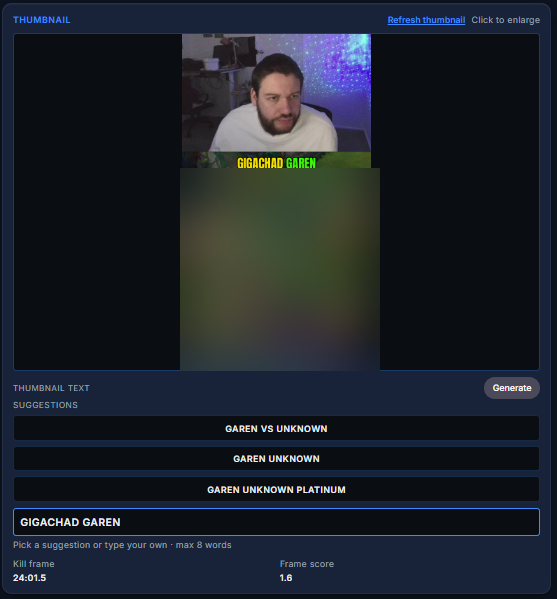
Make the thumbnail.
Pick a line, or type your own.
 Opens full size in a new tab.
04
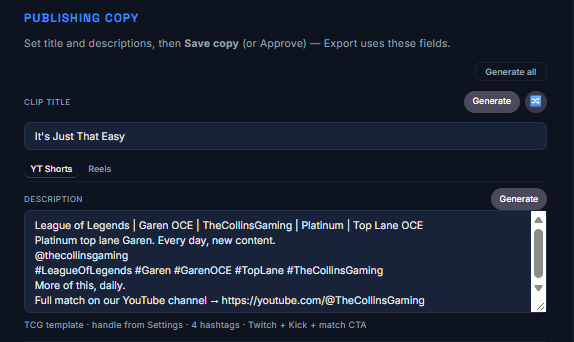
A title and description, drafted for you.
Edit the words. Then approve, and move to the next clip.
 Opens full size in a new tab.
 Opens full size in a new tab.
05
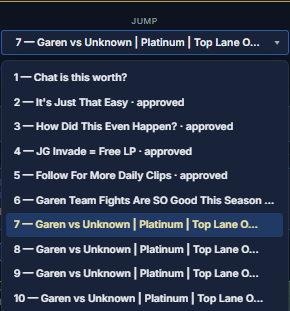
Keep track of the match.
Jump back to any session without leaving the step you are on.
 Opens full size in a new tab.
06
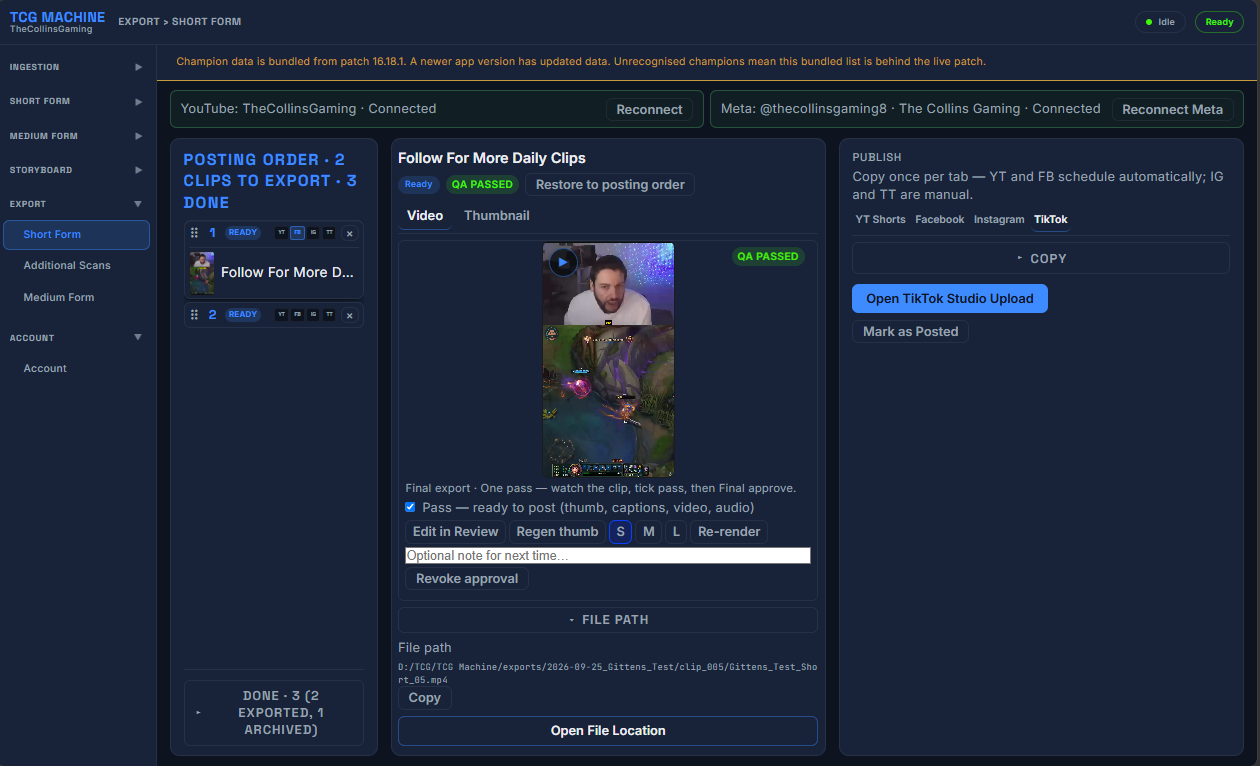
You stay on the clip.
Captions, titles, and thumbnails are handled. YouTube and Facebook can be scheduled. Instagram and TikTok open with a button.
 Opens full size in a new tab.
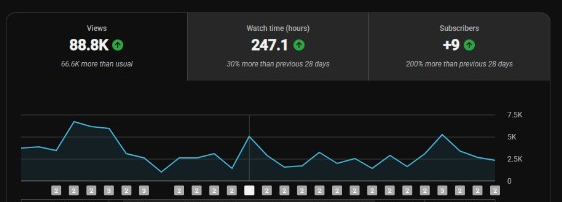
What it did for TheCollinsGaming.
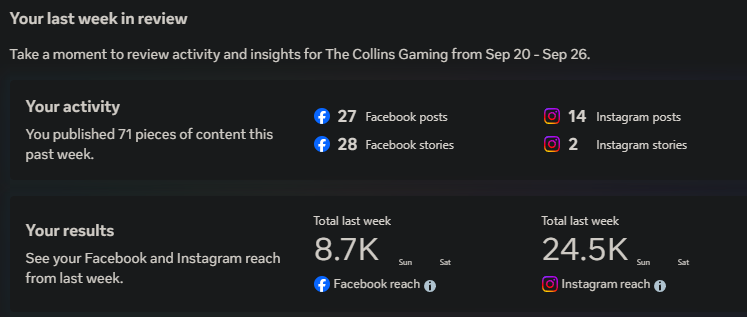
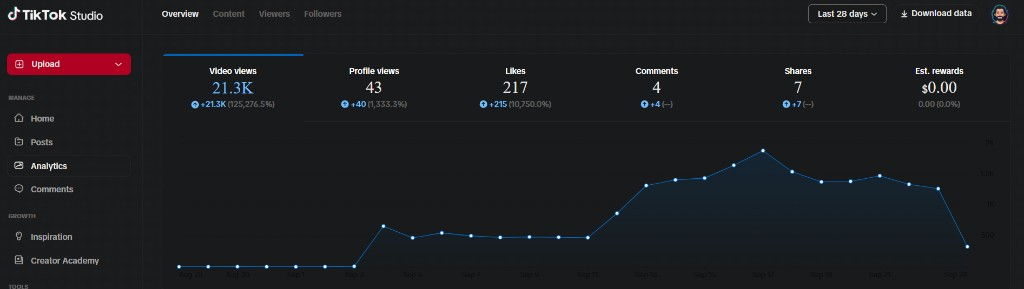
Collins built TCG Machine for his own channel. He went from 1 to 2 posts a week to 2 posts per day, every day since July 15 2026.
That is his result. It is not a promise for your channel. He still records the same amount of time. TCG Machine cuts, captions, and schedules the clips, so two posts a day doesn't turn into a day of editing.
 Opens full size in a new tab.
 Opens full size in a new tab.
 Opens full size in a new tab.
Two ways to fit your setup.
Facecam split: your camera on top, gameplay below. No camera: full gameplay on a blurred background, so nothing gets cropped out. Both export in 9:16 vertical, ready for Shorts and Reels.
Drawn diagrams of the frame shapes. Not screenshots, and not game footage.
Get early access.
Join the list. You'll hear when the beta opens.